 by
by Roblox is a popular online gaming platform that hosts millions of player-made experiences and allows users to develop their own games using Roblox Studio. However, there are also third-party programs associated with Roblox, which are used for executing unauthorized scripts in the game. The name Fluxus Executor is often mentioned in the same context as unofficial Roblox scripting tools.
It is essential for players and developers to distinguish between legitimate program applications related to Roblox and potentially harmful software that can use their personal data. In this article, we will discuss what Fluxus Executor is, provide an overview of scripting in Roblox, and give examples that show the ways in which scripts can be executed.
What Is Fluxus Executor?
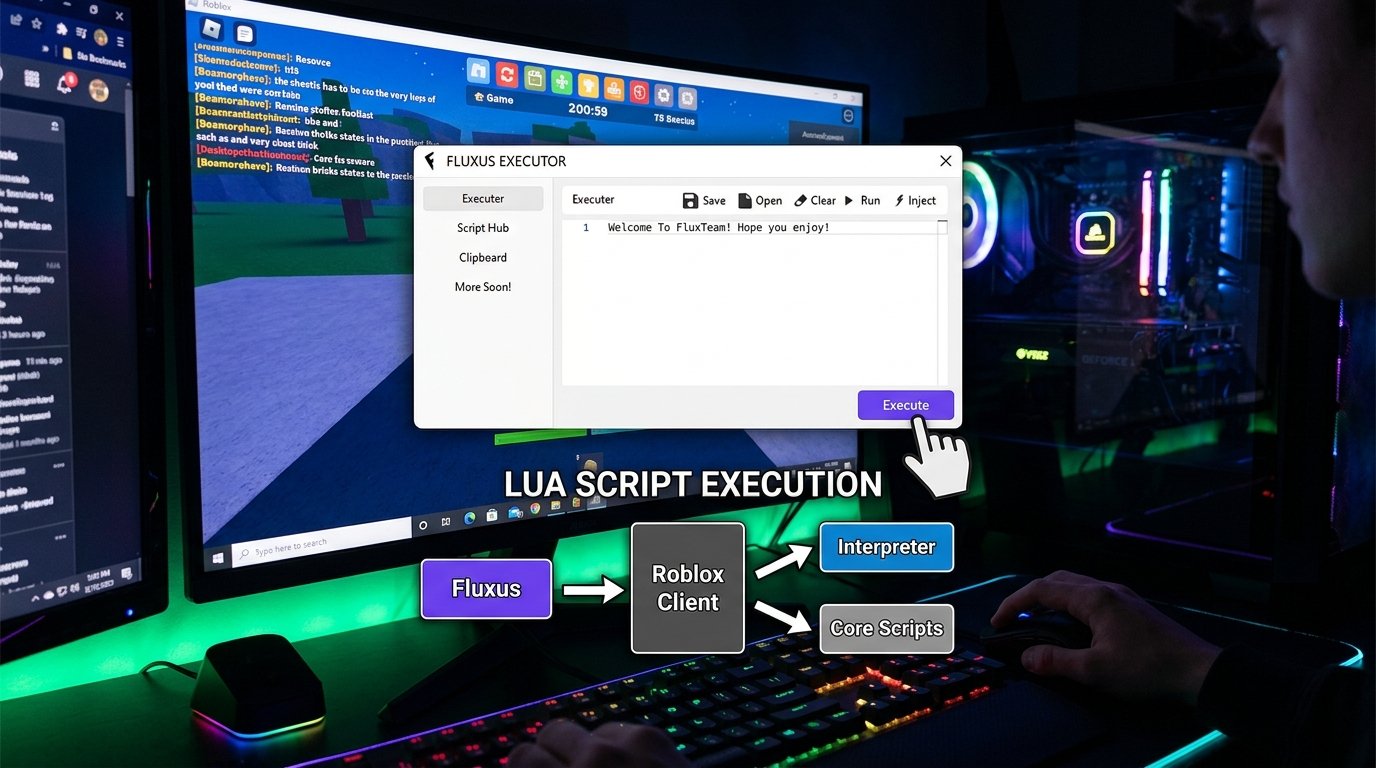
Fluxus Executor is the former name of an independent program associated with the execution of unauthorized scripts in Roblox experiences. Script executors are software applications that allow users to enter their own code into a game or file a request in order to alter or view data. As script executors are generally not sanctioned by the owners of the game, their primary use is to modify or view data for unauthorized purposes.
Fluxus Executor gained popularity due to its association with Roblox, as it allowed users to experiment with unofficial and unauthorized scripts. This application and similar tools are primarily designed to perform the following functions:
- Executing arbitrary scripts or code
- Entering or importing a script
- Testing it in an environment where it is applicable
- Having the ability to be compatible with different versions of the game
However, it is crucial to emphasize that in most cases, such tools merely provide potential opportunity, rather than actual functionality. In practice, these programs ceased to be relevant after the Roblox client was updated. In addition, independent executors such as Fluxus are often removed, blocked by Roblox, or no longer maintained by the developers, which means that they can have security issues.
The Roblox platform itself does not provide any script execution tools, as all functions available in it can be implemented through the development environment Roblox Studio.
How Does Lua Script Execution Work in Roblox?
Roblox uses the scripting language called Luau, which is based on Lua. In this section, we will show how scripts are executed in Roblox with an example.
First of all, in order to execute a script, one must write it in the programming language Lua, which is similar to other languages. To show how scripts work, we will give a simple example of a program that prints a string of text:
lua
print(“Hello, Roblox!”)
After the program is written, it is entered into the program editor, which checks the entered code for errors. Then, after the user launches the script, the code is processed and the specified action is executed: in this case, the program will print the string “Hello, Roblox!” in the output window.
Lua Vs. Luau: What’s the Difference?
Lua is the scripting language from which Luau was based on, which is why they are often confused. However, there are significant differences between the two programming languages. While Lua is primarily used for scripting in video games, Luau has been adapted for specific use in the Roblox development environment.
There are several key differences between the two languages. First of all, Lua and Luau have different uses: while Lua is used mainly for scripting in video games, Luau is used for creating applications in the Roblox development environment. Furthermore, Lua has a more extensive syntax, whereas in Luau, some features are available only in specific functions. While Lua does not have built-in support for type checking, it is available in Luau.
Finally, while Lua does not have built-in support for Roblox functions, Luau has them as built-in functions. This means that the execution of a script in Lua is not possible directly in Roblox: in order to use it, it must be adapted (ported) to Luau, and after that, it will be possible to use the functions provided by Roblox.
The full documentation of Lua can be found on the Lua website, while information about the features of the scripting language Luau can be found on the Roblox website.
How Do Third-Party Roblox Script Executors Work?
As mentioned above, an independent Roblox script executor, such as Fluxus, is a program that allows users to run unauthorized scripts in the game. In this section, we will briefly describe how such applications work. Typically, such applications have a built-in script editor or a special field where users can paste the script they want to execute. After the user has entered the script, the executor must compile it and execute it in the current Roblox session.
For the most part, the specific implementation details of such applications are unclear, as most of them are closed programs. However, in most cases, applications such as Fluxus Executor aim to achieve the following:
- Script input: the user must somehow input or import the script into the application.
- Preparation: the script must be prepared for further execution.
- Running the script: the script must be executed in the current Roblox session.
- Interaction with the environment: after the script is executed, it should affect the game objects.
It is important to note that the execution of a script does not allow the user to gain full control over the game, as scripts in Roblox are executed on the client side, rather than the server. In addition, most modern Roblox games are distributed with a client-server structure, which means that the client side is only responsible for displaying the image, while the server contains all the game logic.
Documentation
This means that in order to change the data on the server, a script must be executed on the server side. However, if the user is running a script from an independent executor, it will run on the client side, and thus will only be able to change the data on the client side.
For example, a client-side script can change the local representation of the score, but it will not be able to change the score stored on the server. Scripts that run on the server, on the other hand, have access to all the data and are therefore much more powerful.
What Are Roblox Lua Scripts Used For?
Lua family scripting language is primarily used to create video games. In Roblox, Lua is used to develop applications within the Roblox Studio environment. Executable scripts in Lua or Luau are typically not used outside of the Roblox development environment. The main purpose of scripts is to modify existing objects or create new ones.
Applications of such scripts can be extremely diverse. For example, they can be used to modify the behavior of a particular NPC or script the actions of a whole group of NPCs. They can be used for single-player or multiplayer games: for example, to open new levels upon completing certain objectives or to provide achievements. They can also be used to modify or completely replace the appearance of the game interface.
In addition, scripts can be used to modify or analyze almost any data structure of the game. For example, they can be used to modify the movement speed of a character, change the damage dealt by a particular weapon, or modify some other game values. Furthermore, scripts can be used both in the development and testing of applications, as well as in their actual functioning. Finally, such scripts can also be used for educational purposes.
The example script given above demonstrates how a simple script can be used to modify the behavior of a particular object in the application. It is important to note that this script is intended for use in the Roblox Studio environment. Therefore, in order to use it, one must launch Roblox Studio, create a new project or open an existing one, and then create a new script or open an already existing script and replace its contents with the given script code.
Is Fluxus Executor Safe to Use?
When examining the topic of Fluxus Executor, it is important to ask the question of whether or not such applications are safe to use. It is important to emphasize that third-party applications are generally not officially supported by Roblox, and therefore it is dangerous to blindly follow any Roblox-related social media posts and randomly download mysterious applications called Fluxus or other similar names.
When encountering websites offering Fluxus Executor downloads, most likely the application will not be the real Fluxus Executor. There are several reasons why it is important not to use third-party Roblox script executors:
- Malicious software: Independent applications such as Fluxus Executor are often distributed with malware or other harmful software.
- Theft of personal information: Fake websites offering Fluxus Executor downloads can steal personal information, such as passwords or phone numbers.
- Privacy violations: Independent applications can violate privacy by accessing personal data on a device.
- Roblox account moderation: Using unauthorized third-party applications or scripts can result in the account being moderated.
- Incompatibility: Such applications often cease to work due to incompatibility with the latest version of Roblox.
It is important not to remove any antivirus or anti-malware software that may be installed on your computer, as well as not to enter any personal information, such as a password for the Roblox account. To learn how to use Lua language and work with Roblox Studio, it is recommended that you refer to the official Roblox website.
Fluxus Executor vs. Roblox Studio: Main Differences
As mentioned above, Roblox Studio does not provide full-scale tools for testing and running scripts in the game, but rather focuses on developing entire applications. The main differences between Roblox Studio and third-party script executors such as Fluxus Executor are summarized in the table below:
Feature Fluxus Executor Roblox Studio
Official tool No Yes
Purpose Independent execution of existing scripts Creation and development of applications and scripts
Built-in tools for developing and testing scripts Varying No
Official debugging and verification tools No Yes
Intended for use Yes Only for developers
Roblox Studio aims to provide all the tools necessary for developing and testing applications. This application provides Lua script editing tools, such as code completion and advanced type checking features. Moreover, this application provides debugging and testing tools for detecting and fixing logical errors in the code. These tools are especially important when working with scripting languages such as Lua, since they are relatively simple and therefore more error-prone.
Documentation
How to Get Started with Roblox Scripting
If the reader is interested in the topic of Roblox scripts and third-party script executors, it is important to understand that Roblox scripting does not require the use of such tools. In this section, we will briefly describe how to get started with Roblox scripting. The steps described below are basic and will allow the user to create a simple application without any problems.
The first step is todownload Roblox Studio, which can be downloaded from the official Roblox website. The next step is to learn the basics of the Lua scripting language. Subsequently, it is necessary to create a simple project, for example, an obstacle course.
After that, one should create a script and, for example, print some text using the print function. Then, it is necessary to test the created script using the tools provided in Roblox Studio. After that, it is necessary to learn the basics of the client-server structure and understand how to use client-side and server-side scripts. Finally, it is important to learn how to secure the application and store data on the server side.
In addition, it is recommended that you study the official documentation provided by Roblox. This document describes in detail how to perform various operations with Roblox Studio and write scripts in the Lua scripting language. The link to the official Roblox Creator Hub is given below.
Fluxus Executor: FAQs
1. What is Fluxus Executor, and is it dangerous to use?
Fluxus Executor, as mentioned above, is an independent third-party application for executing unauthorized scripts in Roblox games. Such applications are generally unsafe, as they can contain malware and threaten the security of the user’s account. In addition, such applications often cease to function due to incompatibility with the latest version of Roblox.
2. Does Roblox utilize the Lua or Luau scripting language?
Lua scripting language is used in Roblox; however, it has been modified and is now called Luau. This scripting language has been specifically adapted for use in the Roblox development environment.
Documentation
3. Can Lua scripts change any data in Roblox games?
It depends on the type of script, as well as on which side of the server it is located on. For example, if the script is on the client side, that is, in the user’s device, then it will not be possible to change any data on the server. However, if the script is on the server, then it will be possible to change any data.
4. Is the Fluxus Executor application official?
No, this application is not official, as Roblox does not provide any script execution tools. This application is an independent third-party tool for running unauthorized scripts in Roblox games.
5. Why do such applications as Fluxus Executor cease to work?
Such applications usually cease to work due to the fact that Roblox changes the structure of the client side. As a consequence, these applications become incompatible with the current version of the game.
6. What is the best way to learn Lua scripting in Roblox?
The best way to learn Lua scripting is to use Roblox Studio, which is the official development environment for Roblox games. This application provides all the tools necessary for developing and testing scripts in the Lua scripting language.
Conclusion
Fluxus Executor is an independent application for running unauthorized scripts in Roblox games. In this regard, it is important to understand the differences between Lua and Luau scripting languages and how they differ from each other. It is also important to understand how scripts in Lua are executed and what possibilities they have.
Furthermore, it is important to understand why applications such as Fluxus Executor rarely work. Such applications are not useful for learning the basics of scripting in Lua, as they are often unstable and fraught with security risks. To learn the basics of scripting in Lua, it is recommended that you use Roblox Studio, which is the official development environment for Roblox games.